
Confluence Data Center / Server
Conversational AI in Confluence, on your infrastructure.
CORA answers from your documentation with citations, supports edit and create workflows your team approves, and can connect external AI tools via MCP. Self-hosted on Data Center, under your controls.
Research and authoring in the Confluence sidebar
Research in the sidebar
Ask in the sidebar. Streaming replies include citations and suggested follow-ups.
1 / 2
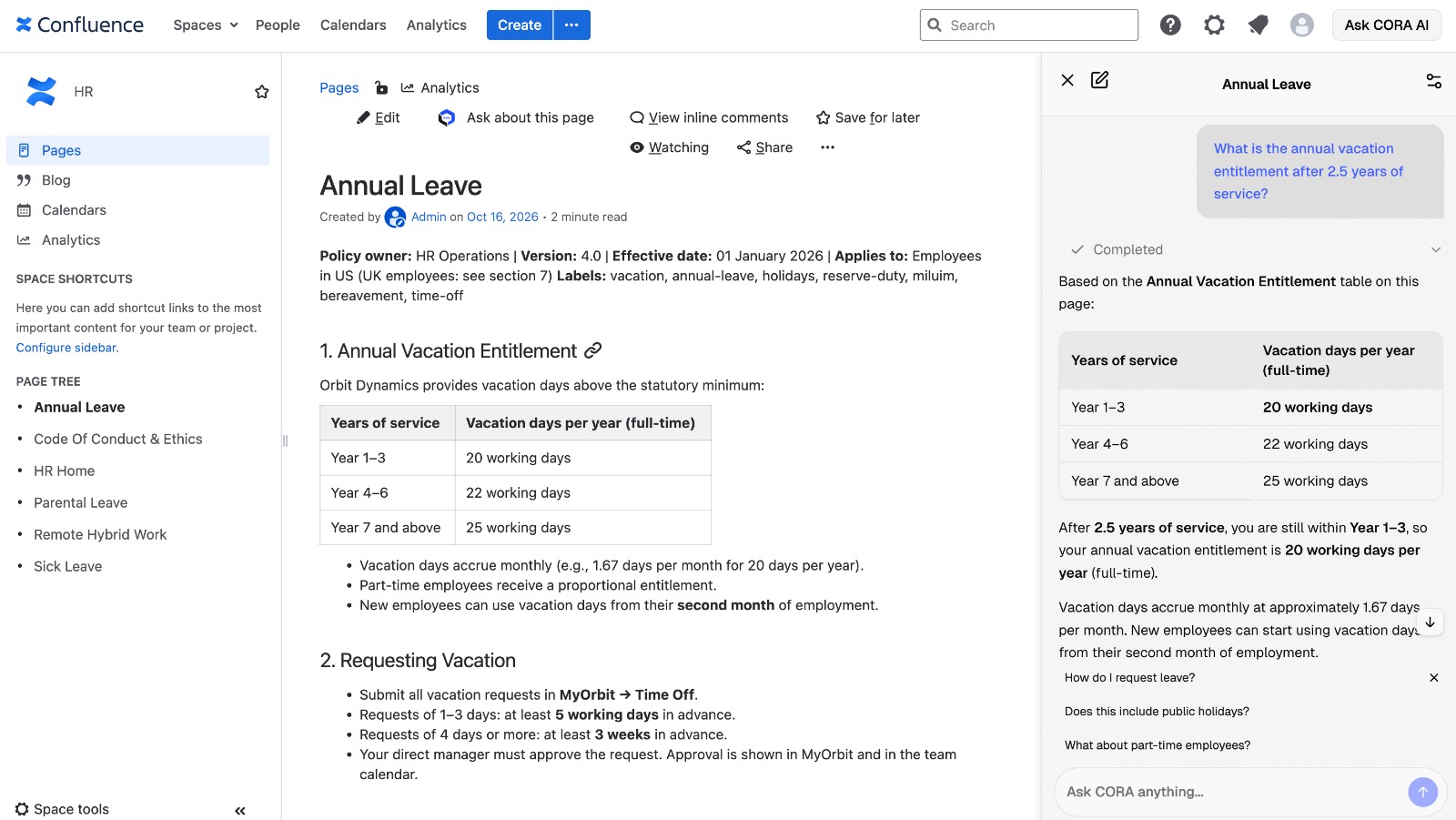
Citations on every answer
Replies link to the Confluence pages and tables your team maintains.
2 / 2
Permission-aware Q&A
Every action runs as the signed-in user. CORA only retrieves and cites pages that user can access in Confluence.
- Sidebar inside Confluence. No separate tab or copy-paste workflow.
- Search and read over live Confluence content, not the public web.
- Citations to source pages; attachments labeled separately when used.
- Page mode: chat scoped to the doc you are viewing for long specs and runbooks.
- Multi-query search, ranking, and optional semantic reranking.
- PDF, Office, markdown attachments when enabled; rendered macros and callouts respected.
- Streaming replies with tool progress and suggested follow-ups.
- Multilingual support for queries and responses.
Draft and improve documentation
Edit and create mode is off by default. When enabled, CORA proposes changes; your team reviews and approves before anything is saved.
Answer & explain
Summaries, how-tos, and cross-page synthesis with citations.
Edit & improve
Fix wording, update sections, and adjust formatting on an existing page. Changes arrive as targeted edit proposals.
Refactor & restructure
Reorganize sections, expand or trim content, and align tone. Nothing applies without review.
Create new pages
Draft from a brief in Markdown; choose space and parent, preview the rendered page, then approve creation.
Edit and create in place
Optional authoring mode proposes changes. You review before anything is saved.
1 / 4
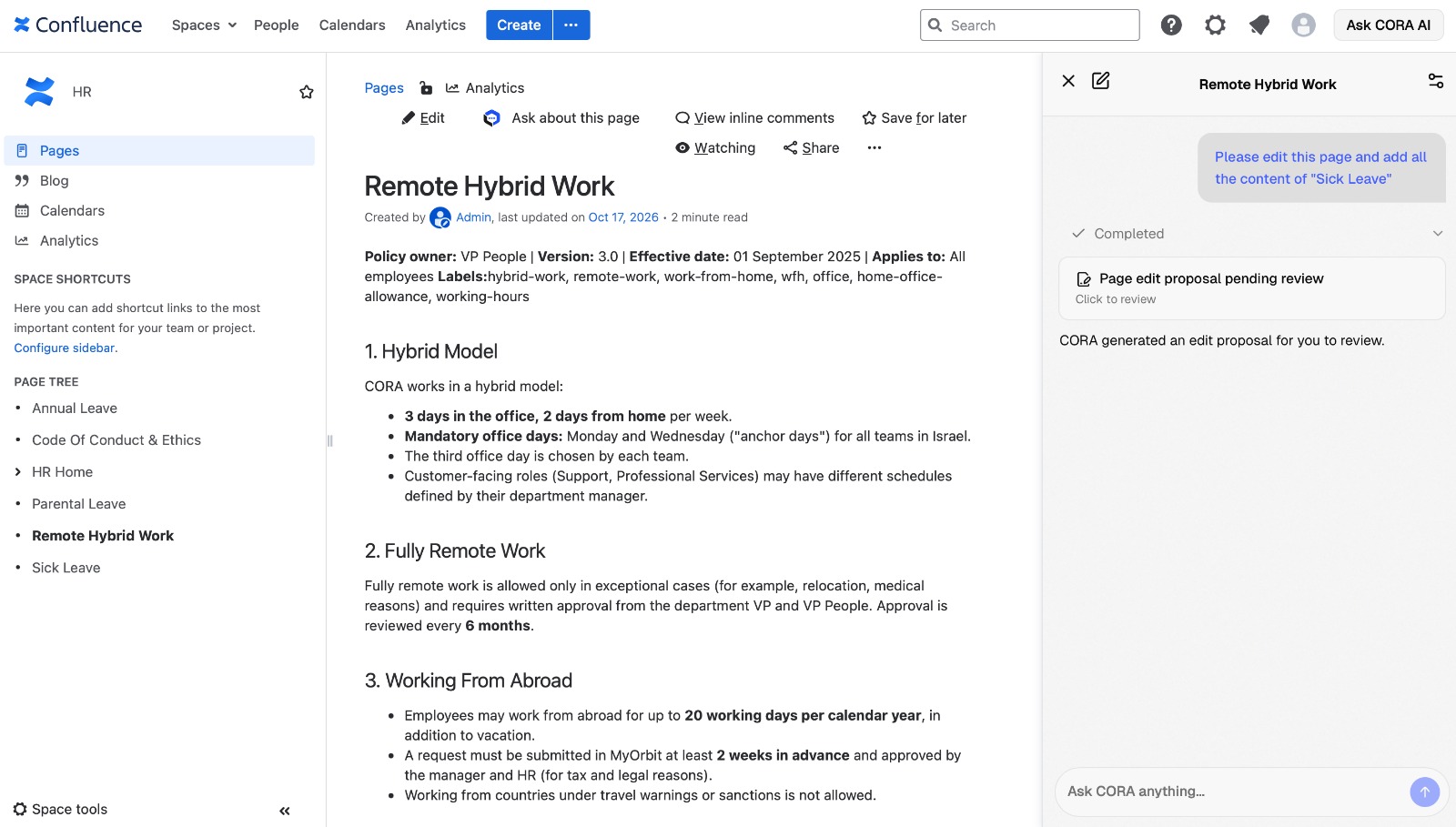
Edit proposals
Targeted edits arrive as a reviewable proposal, not silent overwrites.
2 / 4
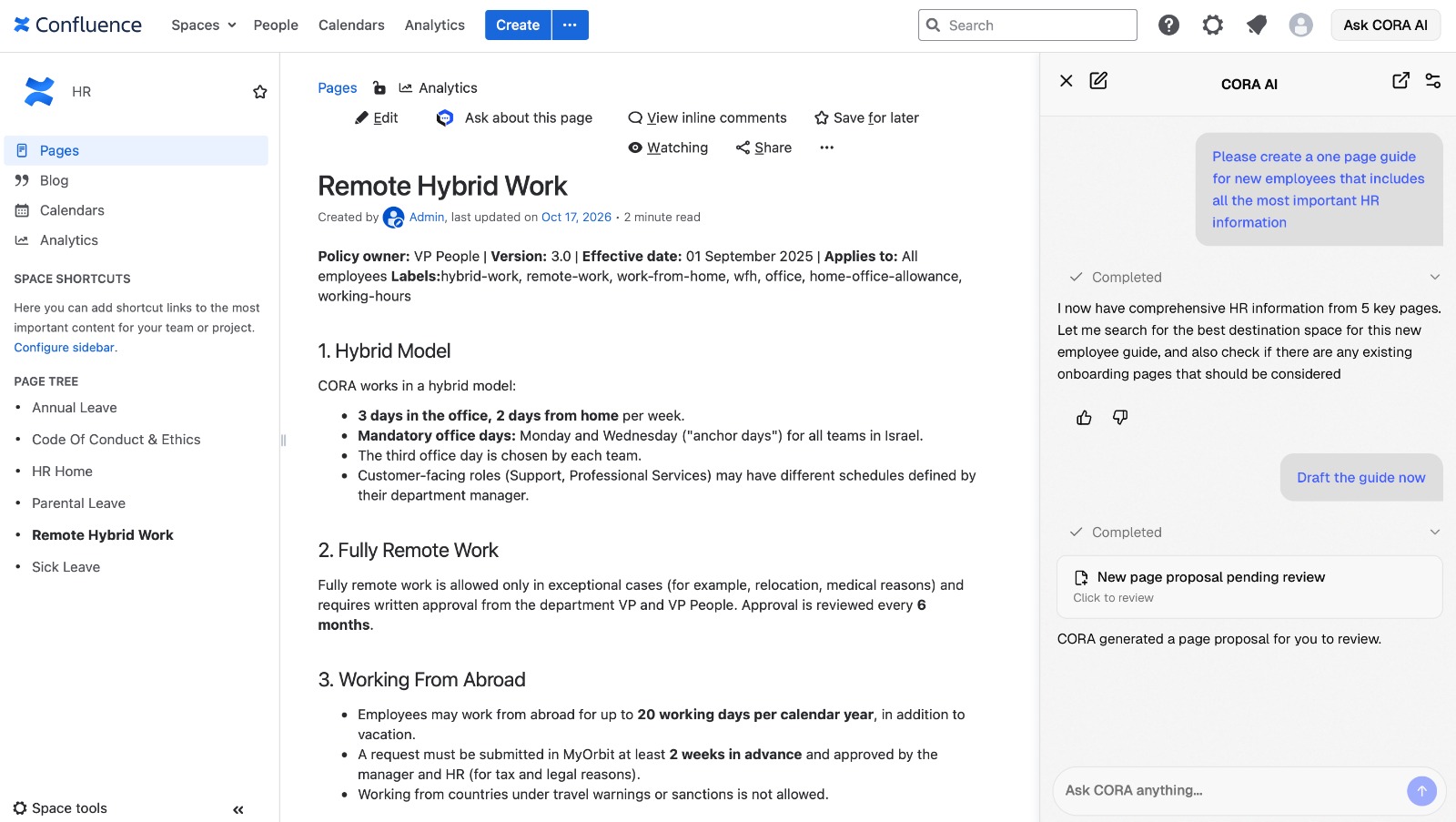
Create from a brief
CORA gathers sources across spaces and drafts a new page for your approval.
3 / 4
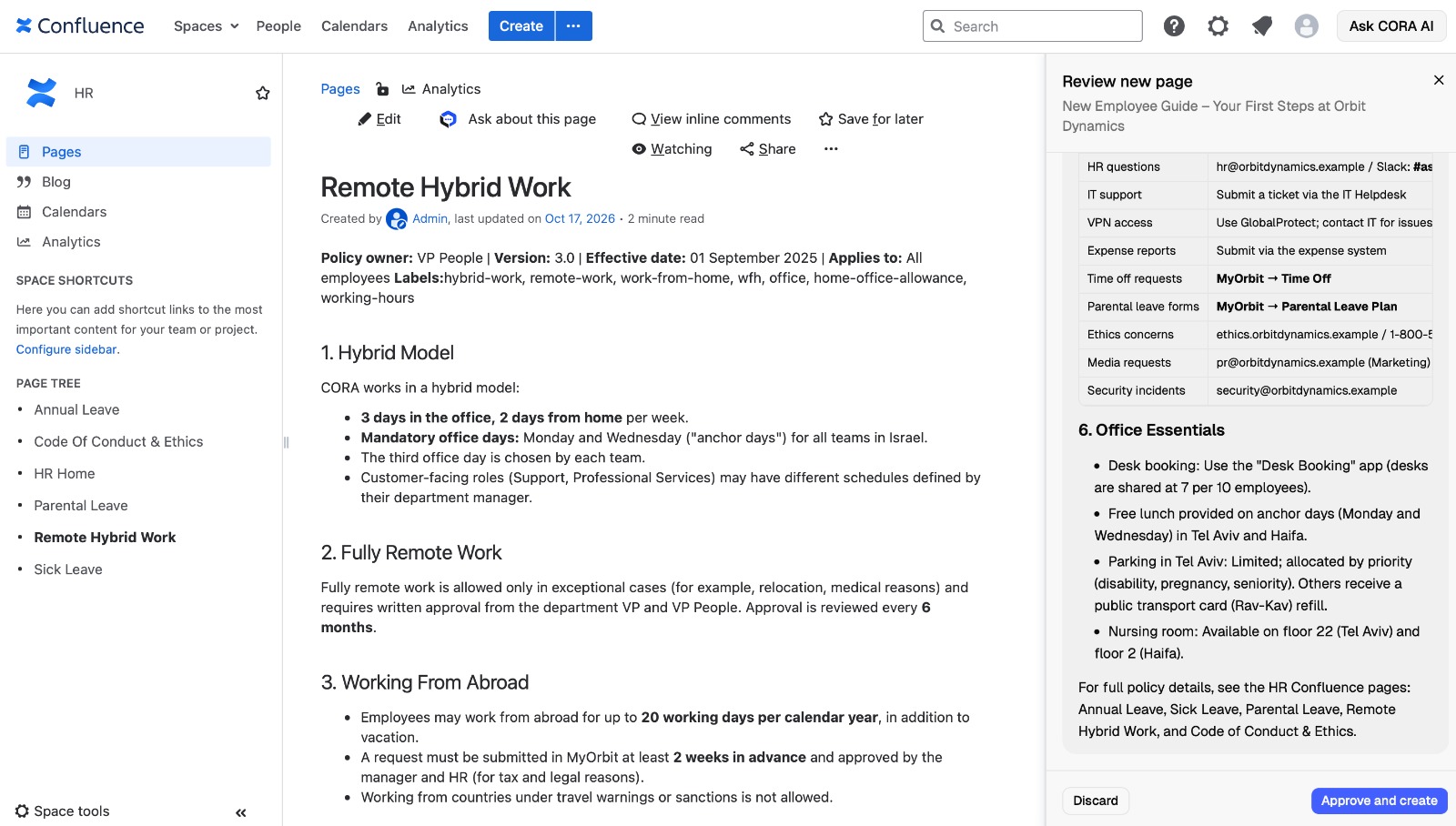
Preview and approve
Rendered preview, then one click to create in the space you choose.
4 / 4
- Human in the loop: visible review step; no auto-published AI content.
- Controlled rollout: enable authoring when your governance model is ready.
One agent for sidebar and MCP
Connect Claude Desktop, Claude Code, or any MCP client to the same Confluence search-and-read agent. Answers include source metadata.
In product
For everyone in Confluence
The sidebar for research, optional authoring, and page-scoped chat.
Integrations
For power users and dev tools
Opt-in MCP exposes ask_cora: markdown answers and linked sources, scoped via PAT or OAuth.
MCP is off by default. Deep research can take tens of seconds to a couple of minutes because CORA searches and reads live pages before replying.
Admin control for IT and security
Self-hosted API plus Confluence plugin admin: your LLM endpoint, your auth policy, optional analytics.
Authentication
PAT (default path): sidebar uses each user's Confluence identity with the same permissions as the UI.
OAuth: when PATs are restricted, enterprise sign-in for the sidebar and MCP without long-lived tokens in the browser.
Optional usage dashboard
With PostgreSQL and a shared stats secret: message feedback (e.g. thumbs up/down), usage totals, charts, and per-user activity in Confluence admin. Core chat works without a database; analytics are optional.
How it is deployed
CORA API
Agent runtime, streaming chat, optional stats, MCP, and OAuth broker. You choose the LLM endpoint.
Confluence plugin
Sidebar, admin settings (API URL, auth mode, stats secret), dashboard proxy.
Your data perimeter
No SaaS wiki ingestion. The UI ships inside the Confluence plugin, not as a separate public SPA.
Built for Confluence Data Center and Server, not Atlassian Cloud marketplace positioning. Expect cited answers and approval-first writes rather than perfect accuracy on every prompt.
Contact us
Share your Confluence version, hosting constraints, and how you want to use research and authoring.